
People
Put a portrait at the center of a profile, a presentation, or a personal project.
Let your subject stand out
A person, a product, a detail worth keeping. Remove the background from a photo and give your subject space of its own. Start with the image you have, let AI separate the foreground, and take the result into your next design, listing, or creative project.
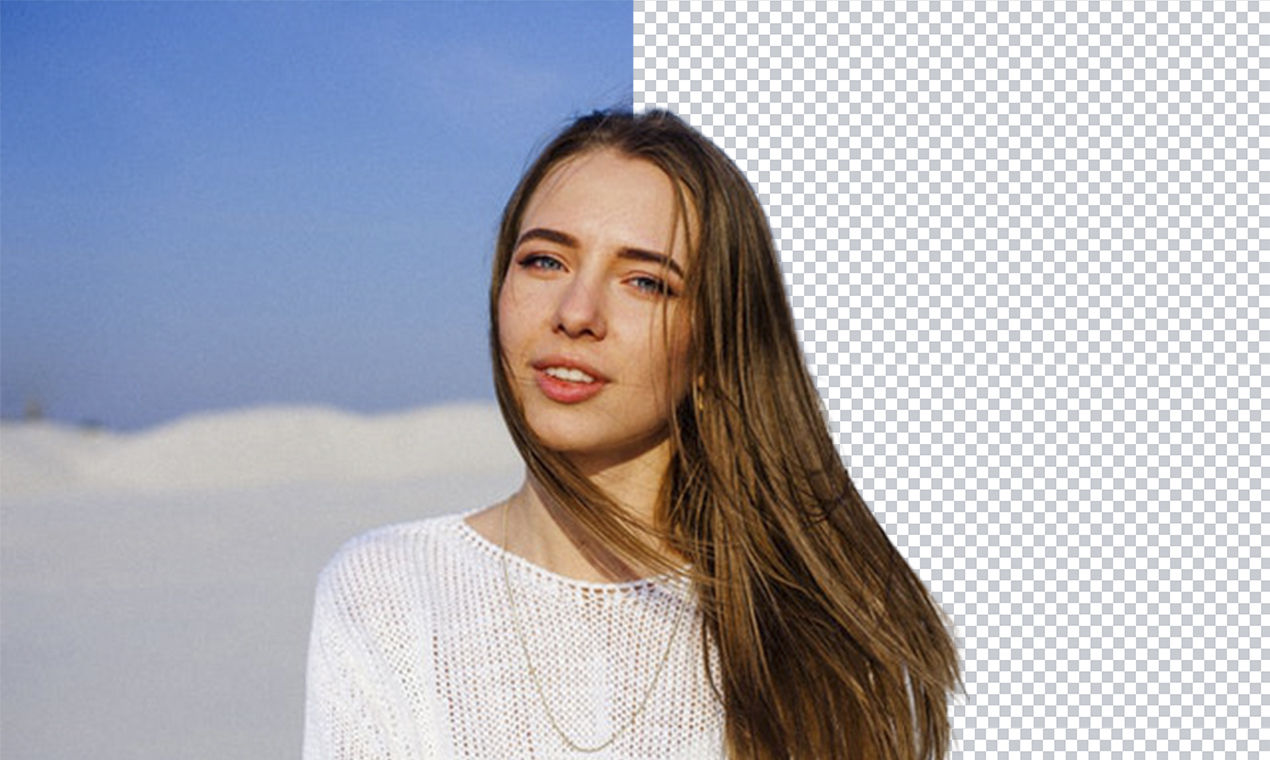
Put a portrait at the center of a profile, a presentation, or a personal project.
Separate an item from its surroundings before placing it in a new layout.
Take your subject into another editor and build a composition around it.
Upload a JPG, PNG, or WebP image with the person or object you want to keep.
Choose the transparent output and let AI separate your subject from its surroundings.
Inspect the edges and download the result. Use it as a starting point for your next design.
A transparent background gives a photograph more room to work. Separate the foreground, then use another editor to place it in a layout or against a new backdrop.
Explore AI EditorIt uses AI to separate a foreground subject from the surrounding background. People and products are common starting points.
The removed area is transparent so you can place the subject over another image or background. A checkerboard is a common way for editors to show that transparency.
Fine hair, transparent objects, shadows, and subjects that blend into the background can be difficult to separate. Inspect the result before using it in a final design.
The current visible workflow focuses on removing the background. Use an editor afterward to add a different background or create a new composition.
The current upload form accepts JPG, JPEG, PNG, and WebP images.