
Upload one or more images
Choose scans or photographs of your prints. Use the clearest sources you have.
Keep the moments that matter
Faded prints. Creased corners. Faces you never want to forget. Use AI to reduce signs of wear and give old photographs another look. Restore black-and-white or color photos, explore different finishes, and make a fresh copy of the moments you want to keep close. Upload one or more images and restore each with the same treatment and instructions.
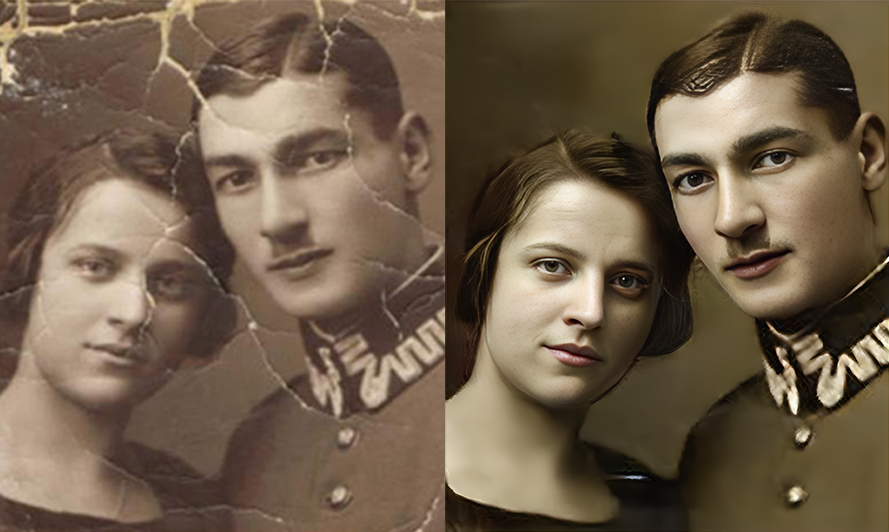




Choose scans or photographs of your prints. Use the clearest sources you have.
Pick a restoration style or describe the finish you want. Let AI work on each photo using the same treatment and instructions.
Follow progress for each photo, review faces and small details, and download results individually or together in a ZIP. Keep the originals.
Restore an old family portrait or revisit a favorite print. AI can help with everyday restoration, while photographs with extensive damage may need more careful, manual work.
Explore Photo ColorizerYes. Credits are required for every result, including your first photo and follow-up edits. The editor shows the credit cost before you start.
Yes. Upload one or more images, choose a treatment, and add optional instructions for the whole batch. Each photo gets a separate result. Keep this tab open while processing; refreshing does not preserve the queue. Download results individually or together in a ZIP.
The tool is designed to reduce scratches, sharpen faded details, and enhance faces in old photographs. The outcome depends on the source image and the treatment you choose.
Yes. The current tool supports both and offers black-and-white and color style references. Choose a finish that suits the photograph.
AI can reinterpret or invent details, particularly where the source is damaged or unclear. Review the result carefully and preserve the original as your reference.
Results vary. The current tool may not work well with more than two people, so inspect each face before sharing or printing a result.
Restoration addresses the appearance of damage and faded details. Photo Upscaler is a separate tool for increasing image size. Choose the tool that fits the change you want.